

| Runtime environment | Main usage | Number of files | Visibility of source code on web browser | |
|---|---|---|---|---|
| client-side JavaScript | Web browser | Event-driven programming, Access to HTML elements, Communication, Access to devices | Usually one | Yes |
| server-side PHP | Web server + operating system | Access to database, Send data and/or client-side web content back to the client | Usually multiple | No |
$type and you want to echo "The $types are" .
That will look for the variable $types.
To get around this use echo "The {$type}s are".
You can put the left brace before or after the dollar sign.
Take a look at string parsing to see how to use array variables and such.strcmp(), strlen() and trim().
implode(separator, array) and explode(separator, string) functions.
floor().
date("Ymd");
function defaultftexample(a, b){
    if(typeof a == 'undefined')  // Or typeof(a)
        a = 10;
    if(b == undefined)
        b = 20;
    ...
}
function anotherexample(a = 10, b) {
    ...
}
in_array(), array_push(), array_pop(), array_shift(), array_unshift().
window and document
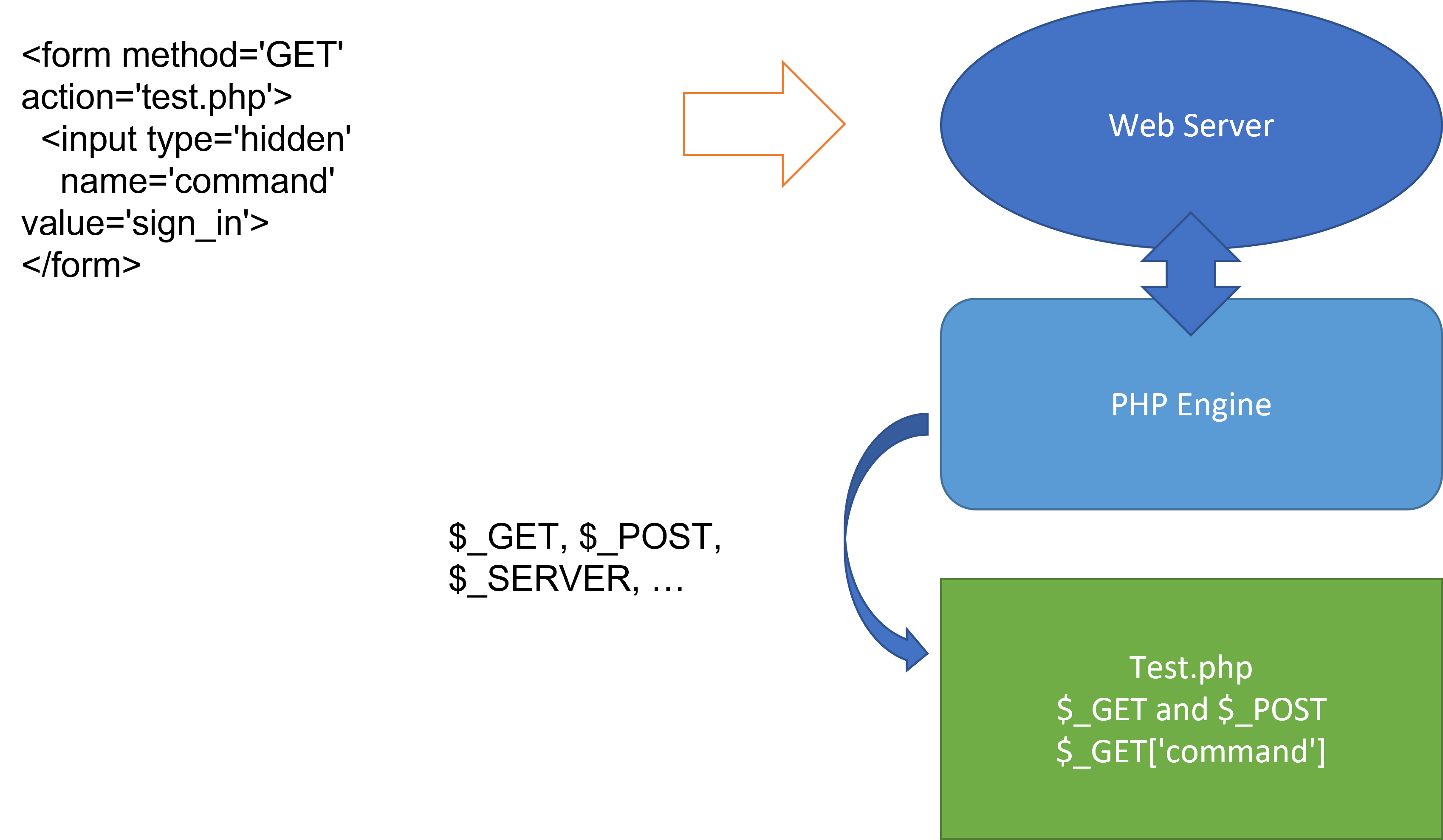
<form action='//cs.tru.ca/~mlee/comp3540/Software/test_display_inputs.php' method='get'>
    <select name='cars[]' multiple>
        <option value='VW'>VW</option>
        <option value='Hyundai'>Hyundai</option>
        <option value='Ford'>Ford</option>
        <option value='Lexus'>Lexus</option>
    </select>
    <input type='submit'>
</form>
<?php
    echo "GET data: <br>";
    foreach ($_GET as $name => $value)
        if (gettype($value) == 'array') {
            echo $name . '=';
            for ($i = 0; $i < count($value); $i++)
                echo $value[$i] . ' ';
            echo '<br>';
        }
        else
            echo $name . '=' . $value . '<br>';
?>